退货设置
退货设置
海多客工作台-lazada退货操作流程
注册账号
海多客工作台|免费的跨境电商ERP (asiaecs.com)
点击注册账号

按照下面流程注册账号
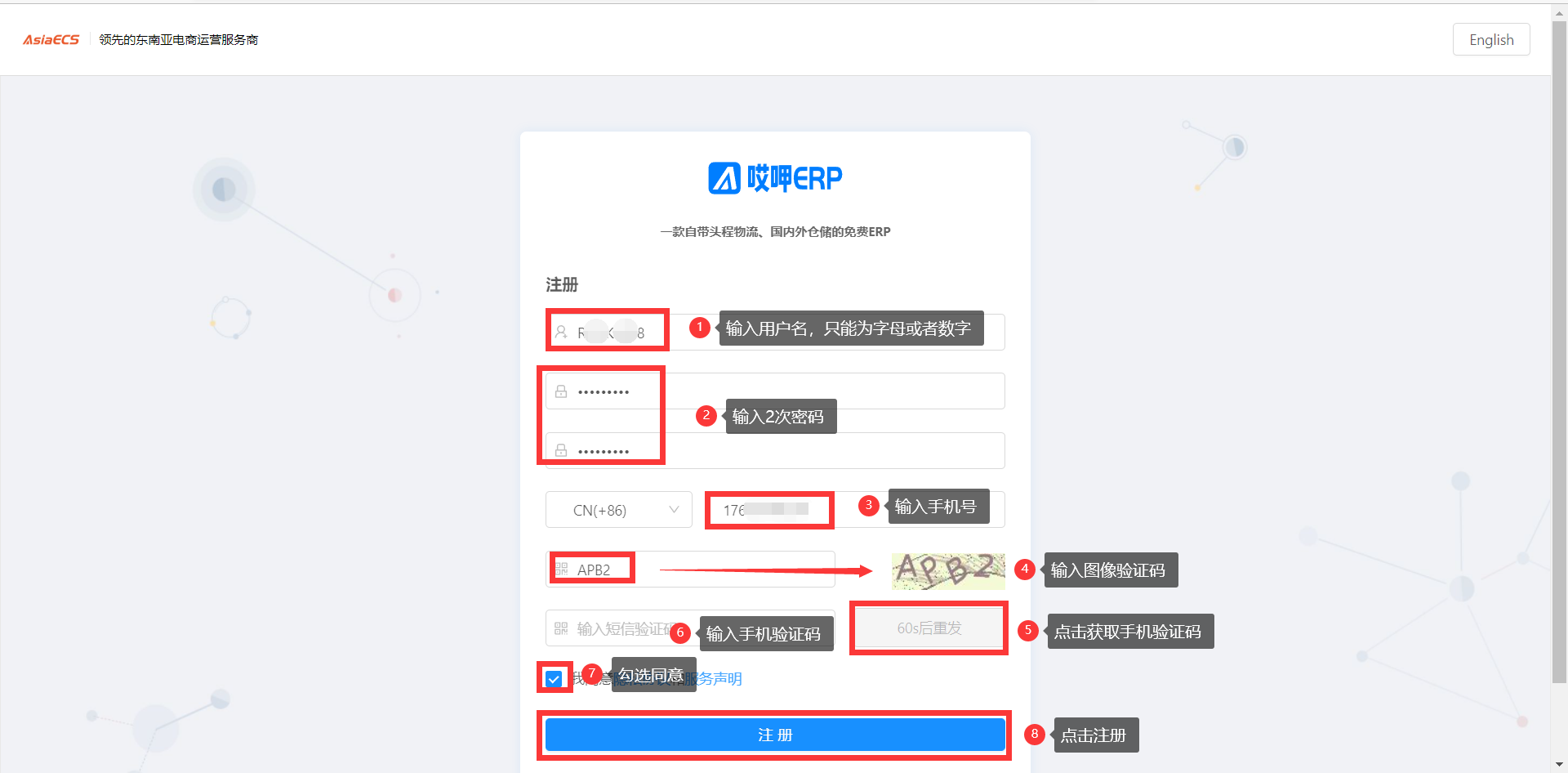
注册好后-输入账号密码点击登录
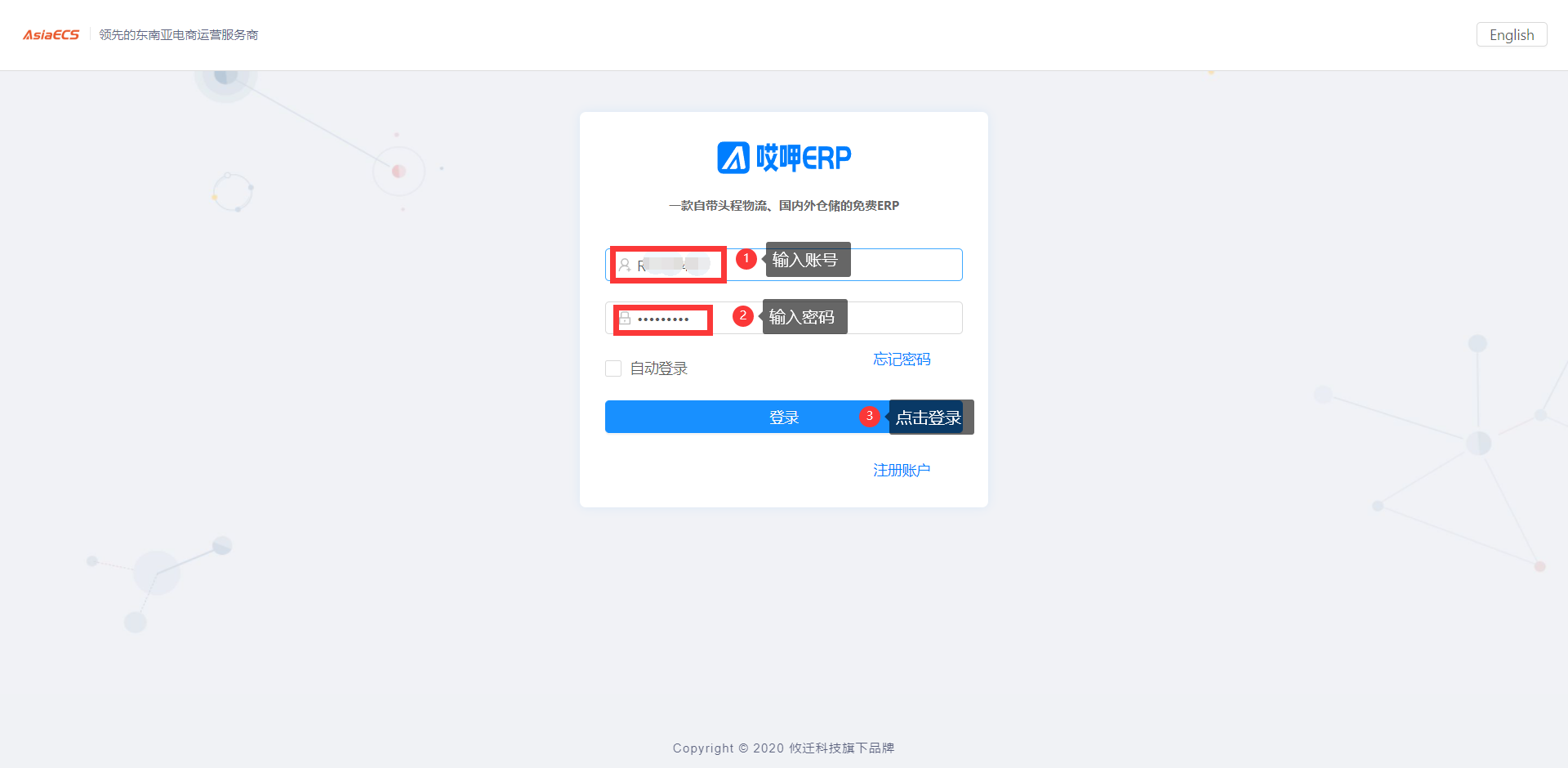
拖动验证码

绑定店铺
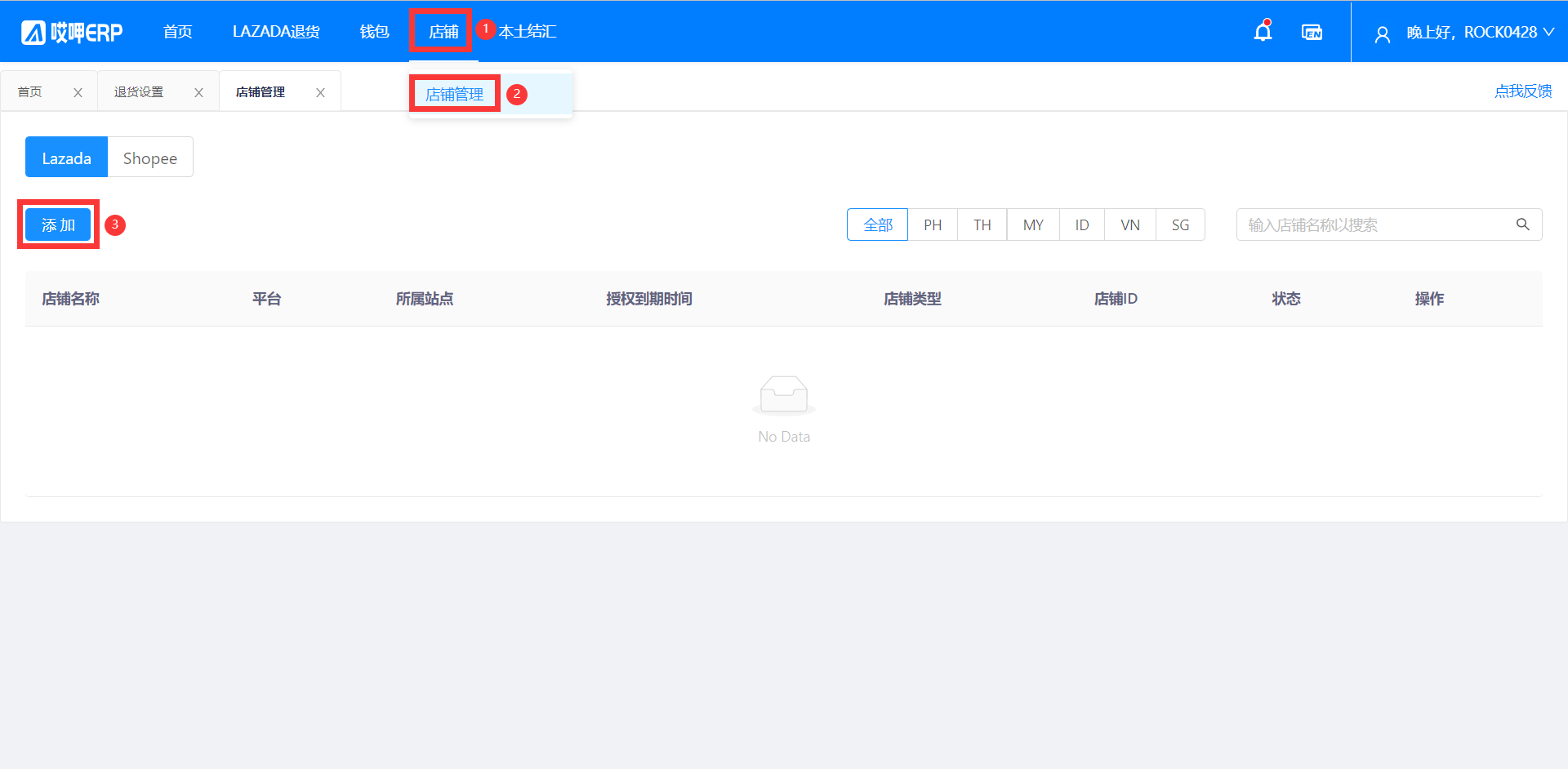
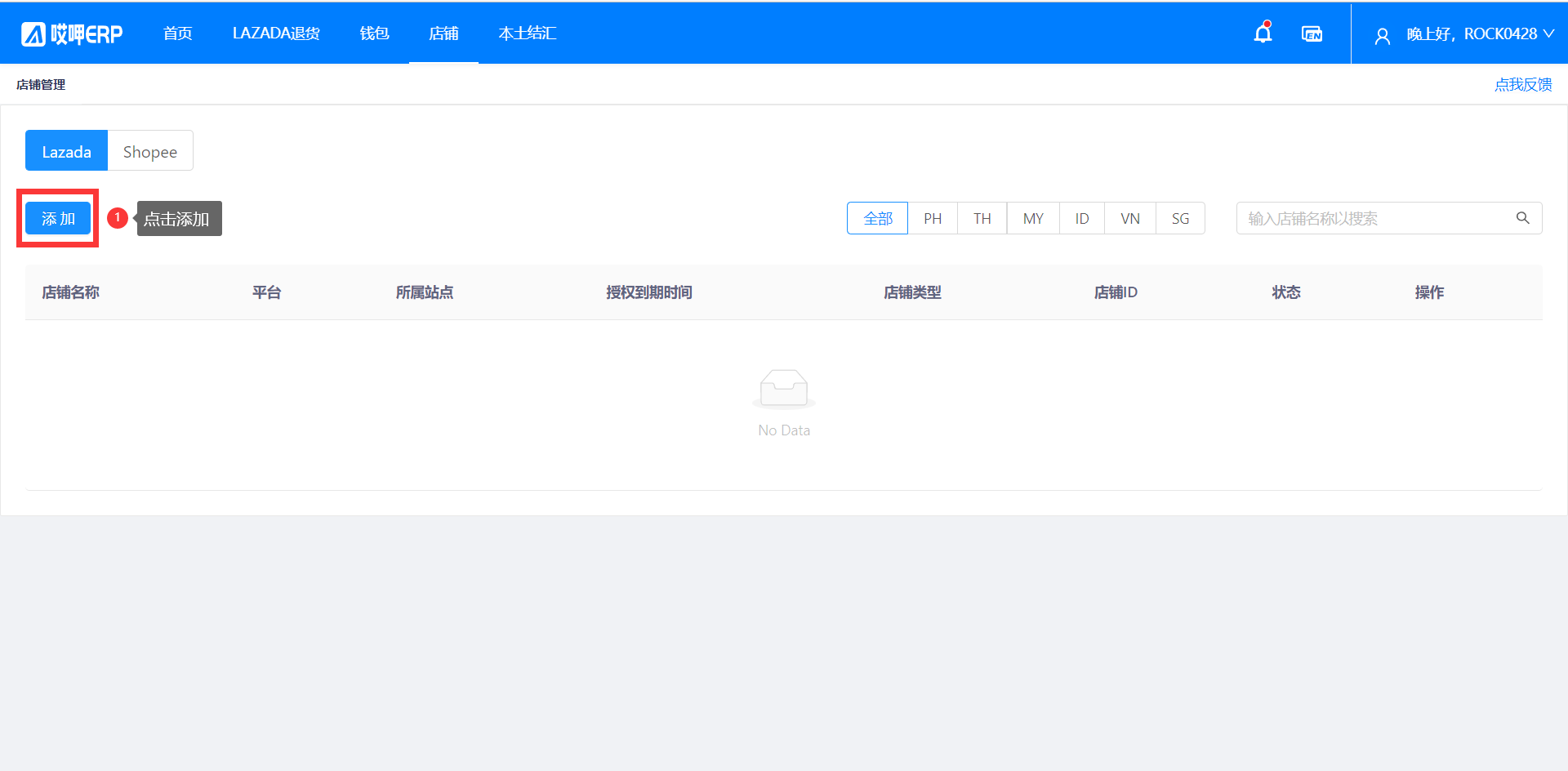
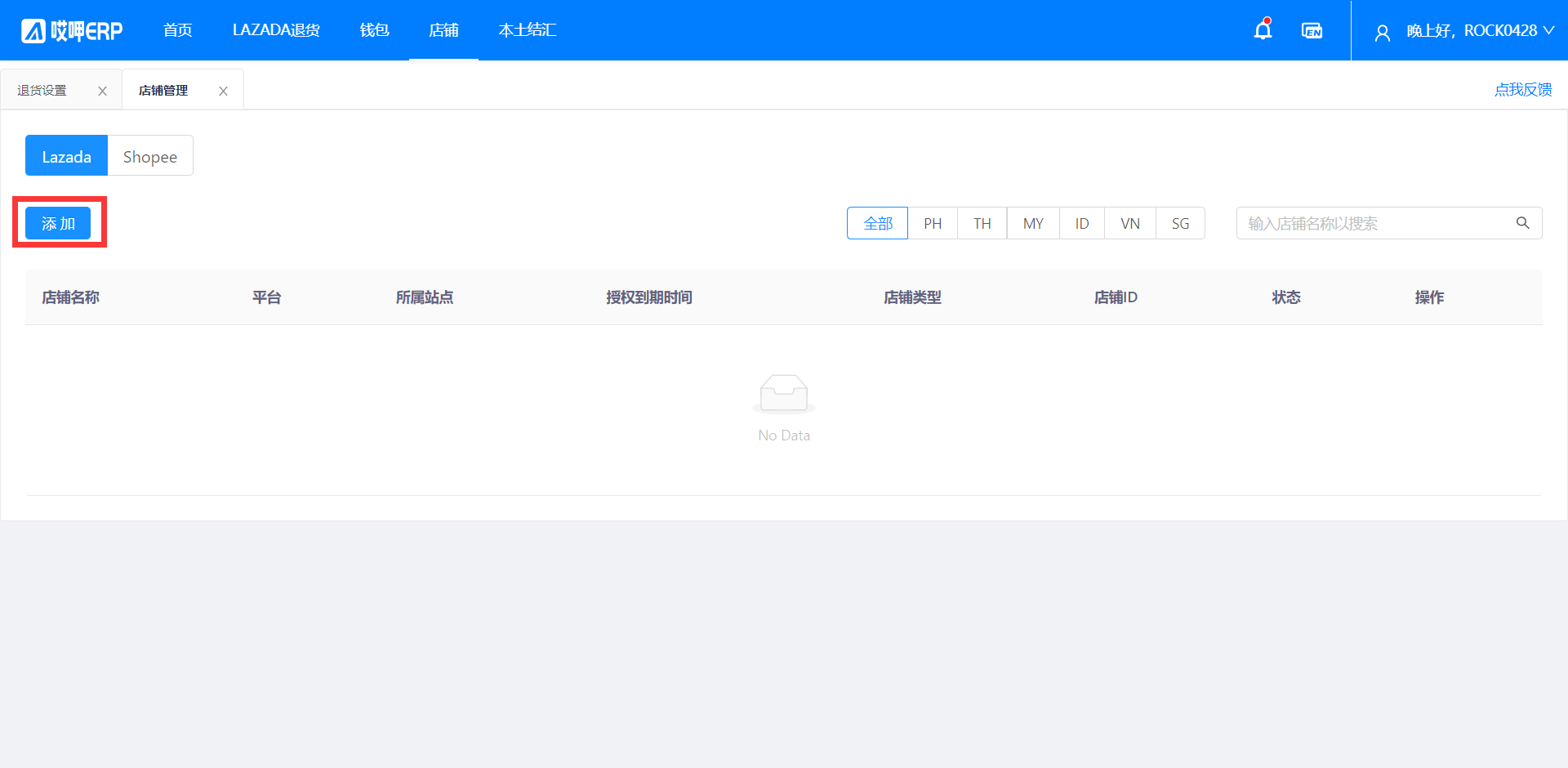
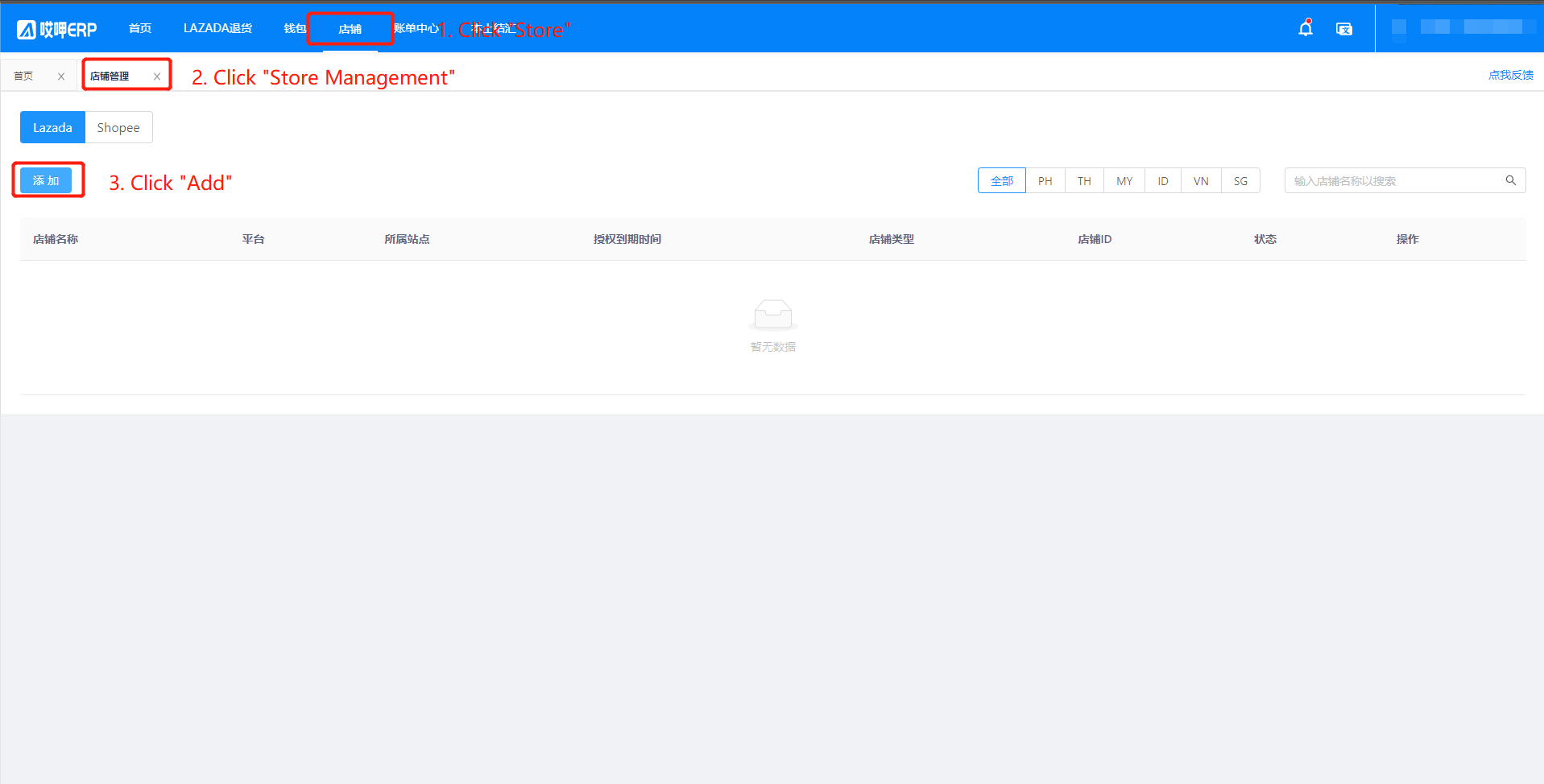
登录后-点击店铺-点击店铺管理-点击添加
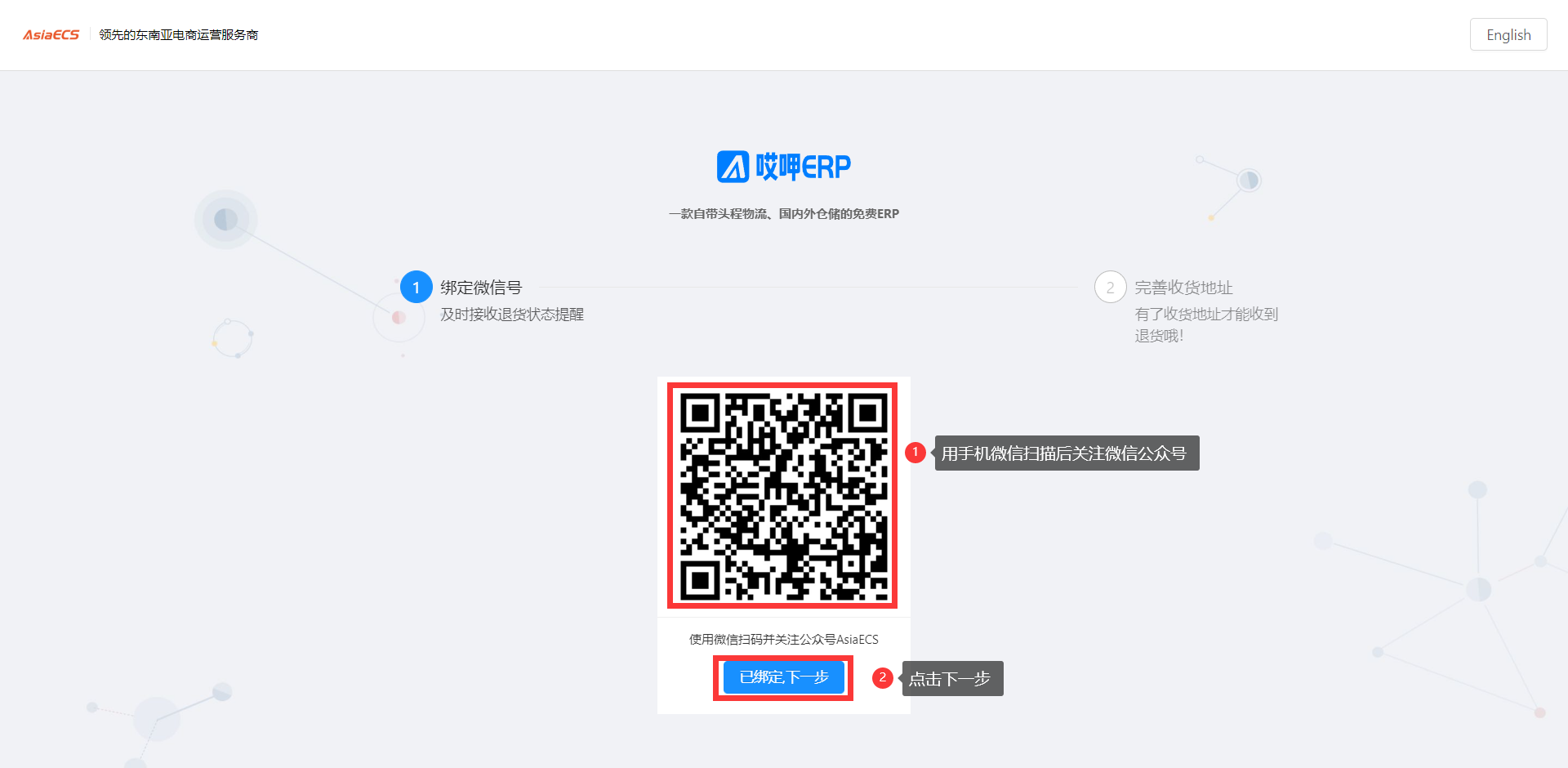
用手机微信扫描二维码关注微信公众号-点击已绑定下一步
输入收件人详细信息-可切换国家地区

点击去绑定店铺

点击添加
点击选择站点-如果所有站点都有建议选择全部-之后点击去授权

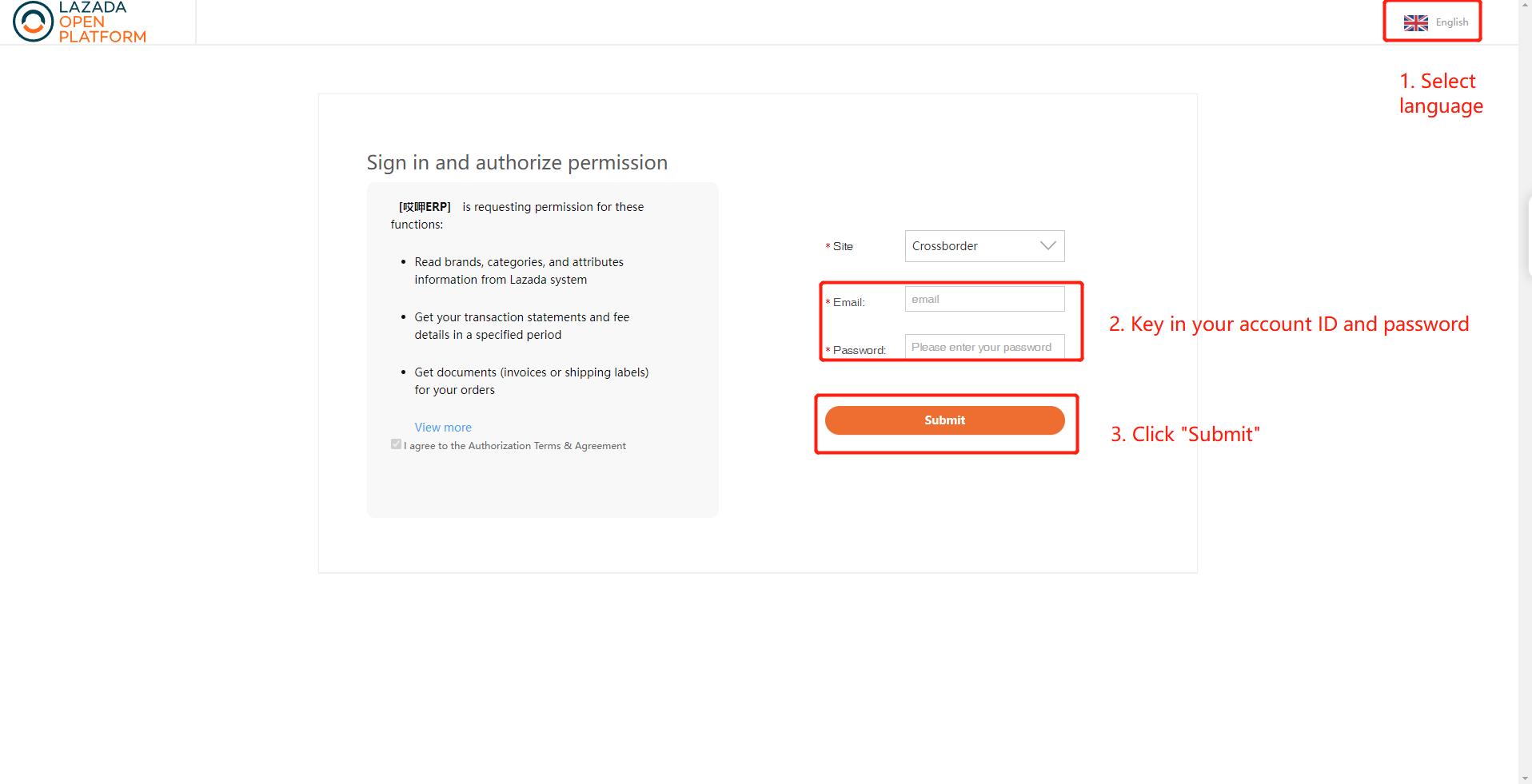
输入LAZADA的店铺账户和密码点击登录

如果有多个店铺,可以进行多次添加绑定,但是必须开启浏览器的无痕模式进行绑定
谷歌浏览器的右上角开启无痕模式,且绑定一个新的店铺关闭当前的无痕网页,打开新的无痕网页进行绑定不能出现2个无痕网页

收件人实名
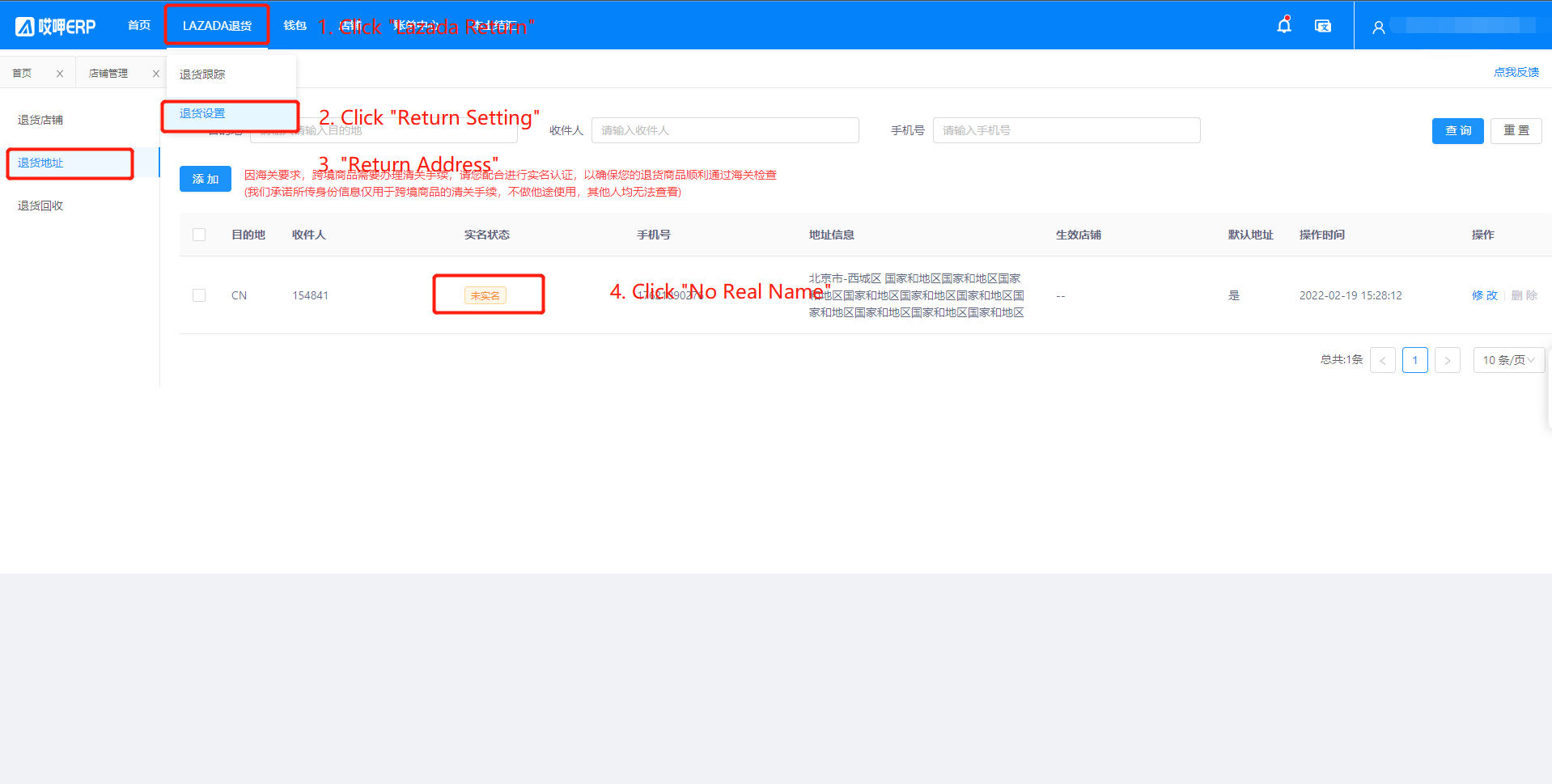
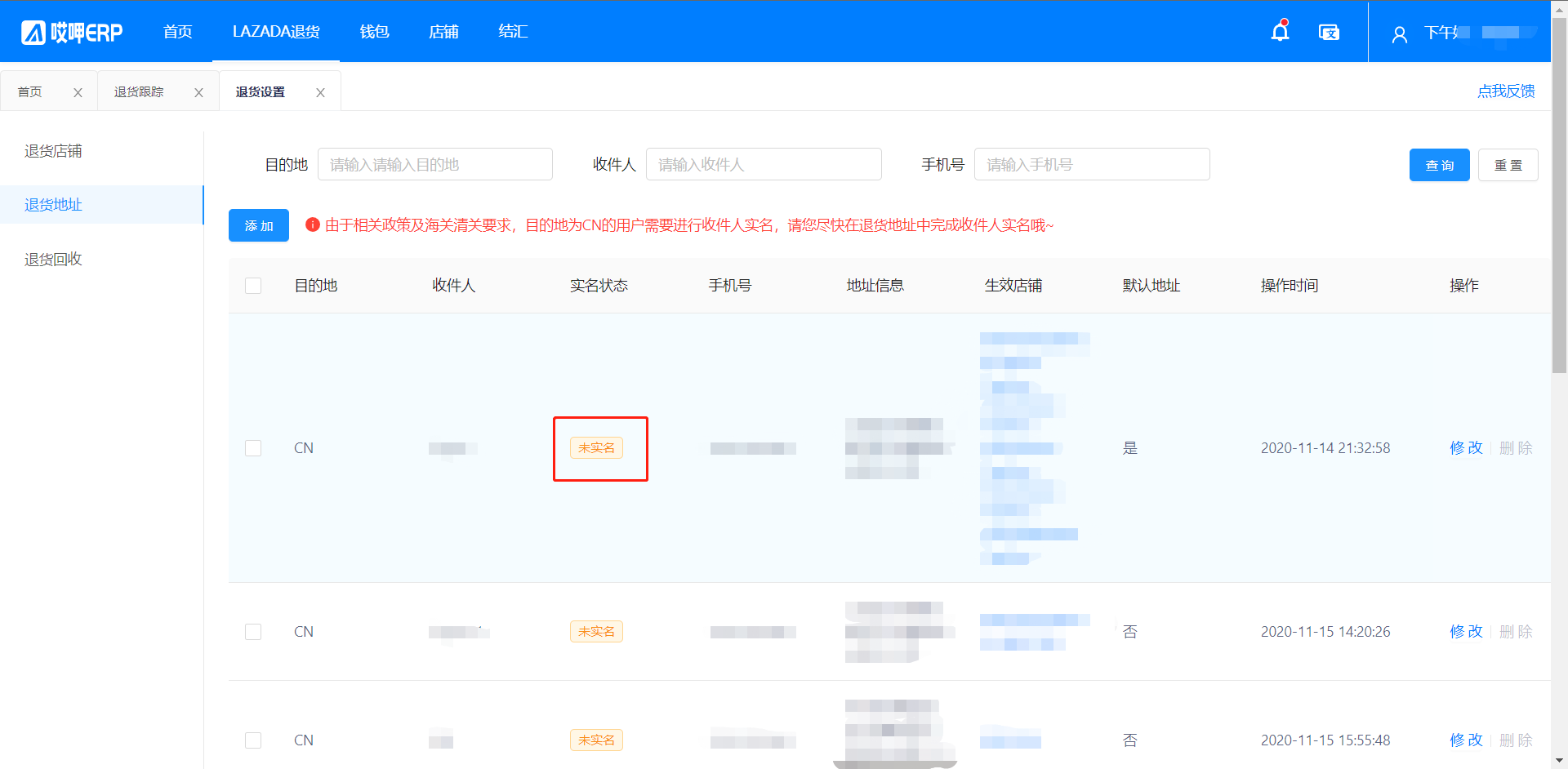
依次点击LAZADA退货-退货设置-退货地址-点击未实名

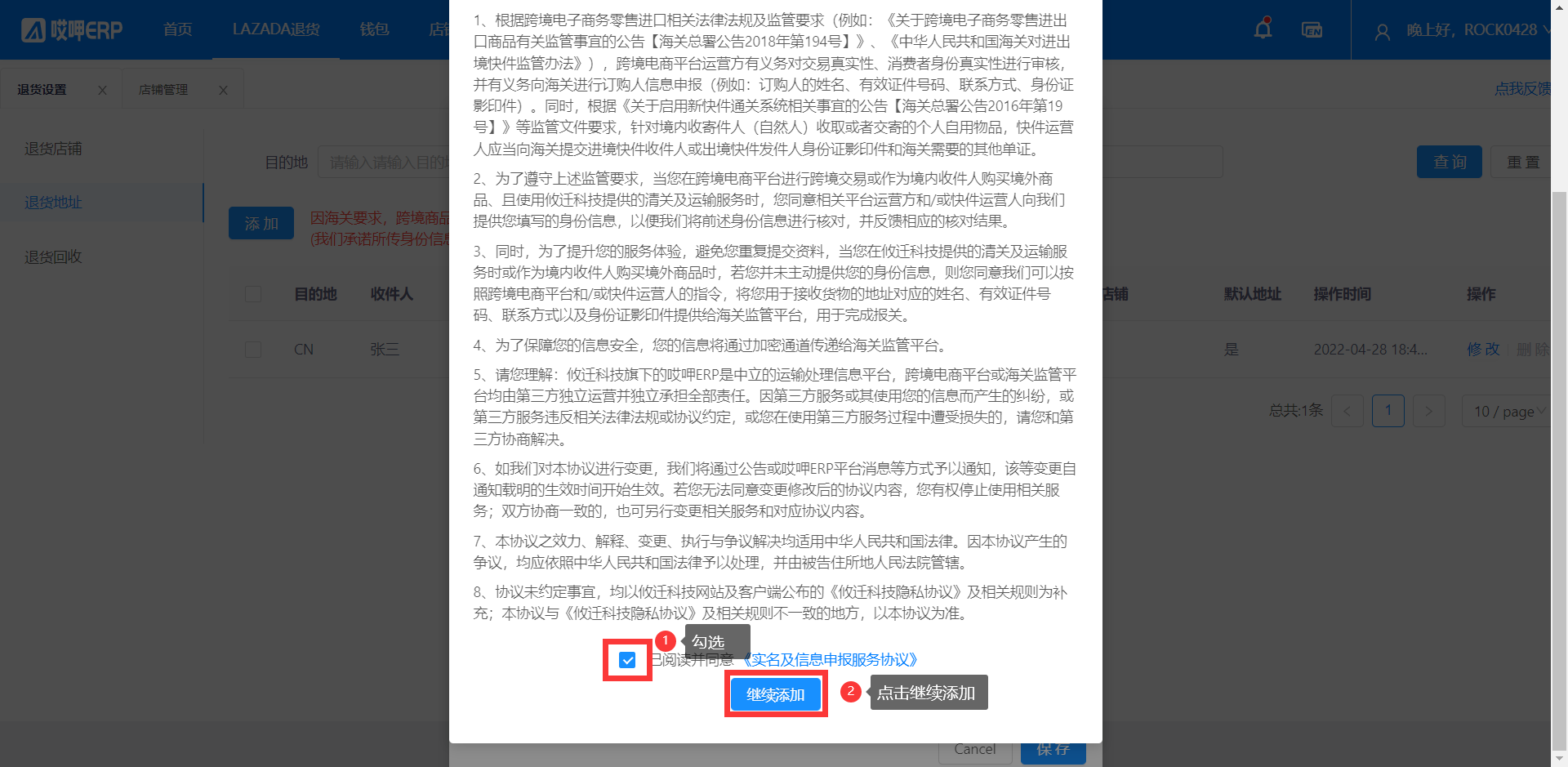
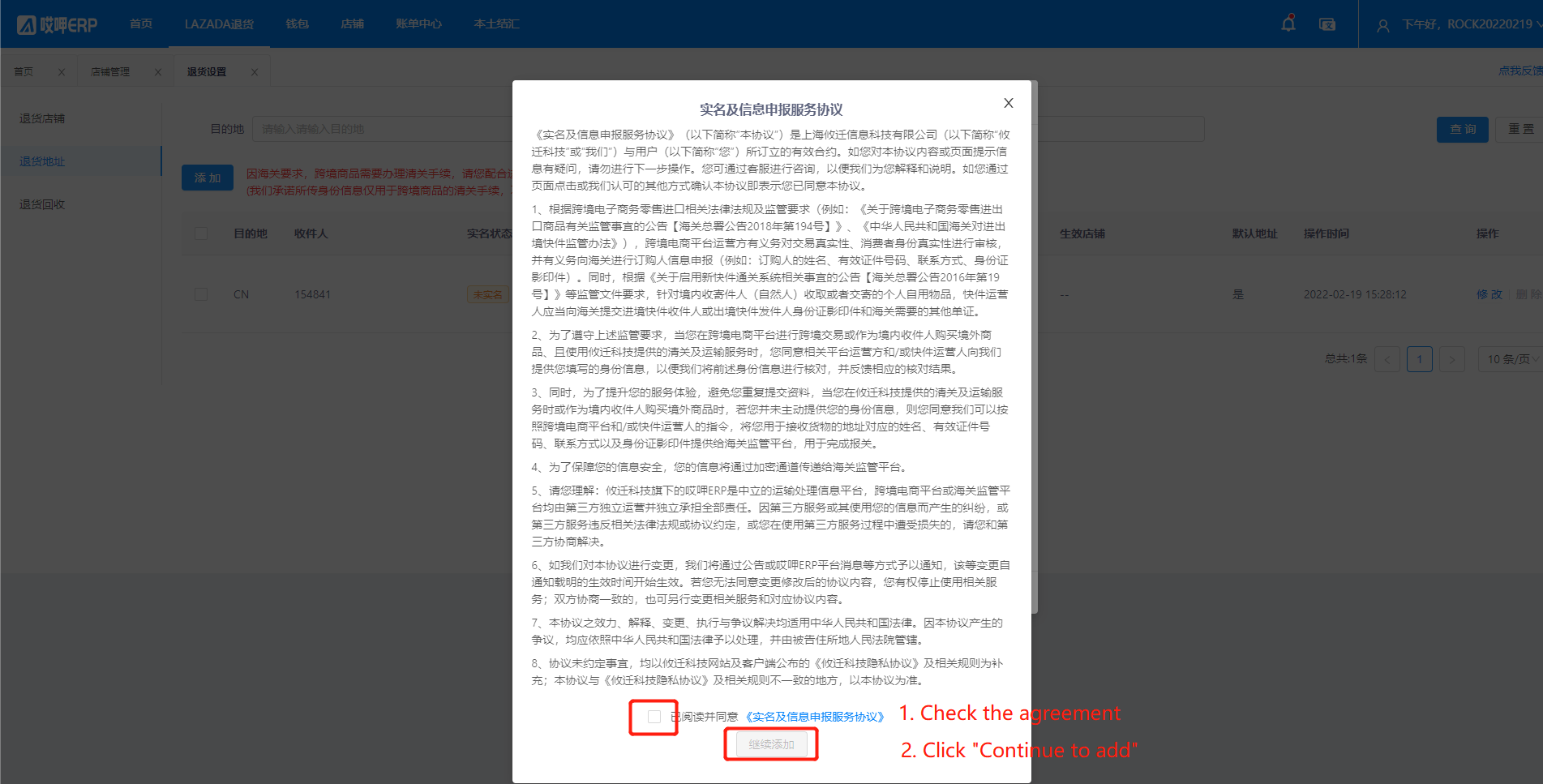
勾选协议-点击继续添加
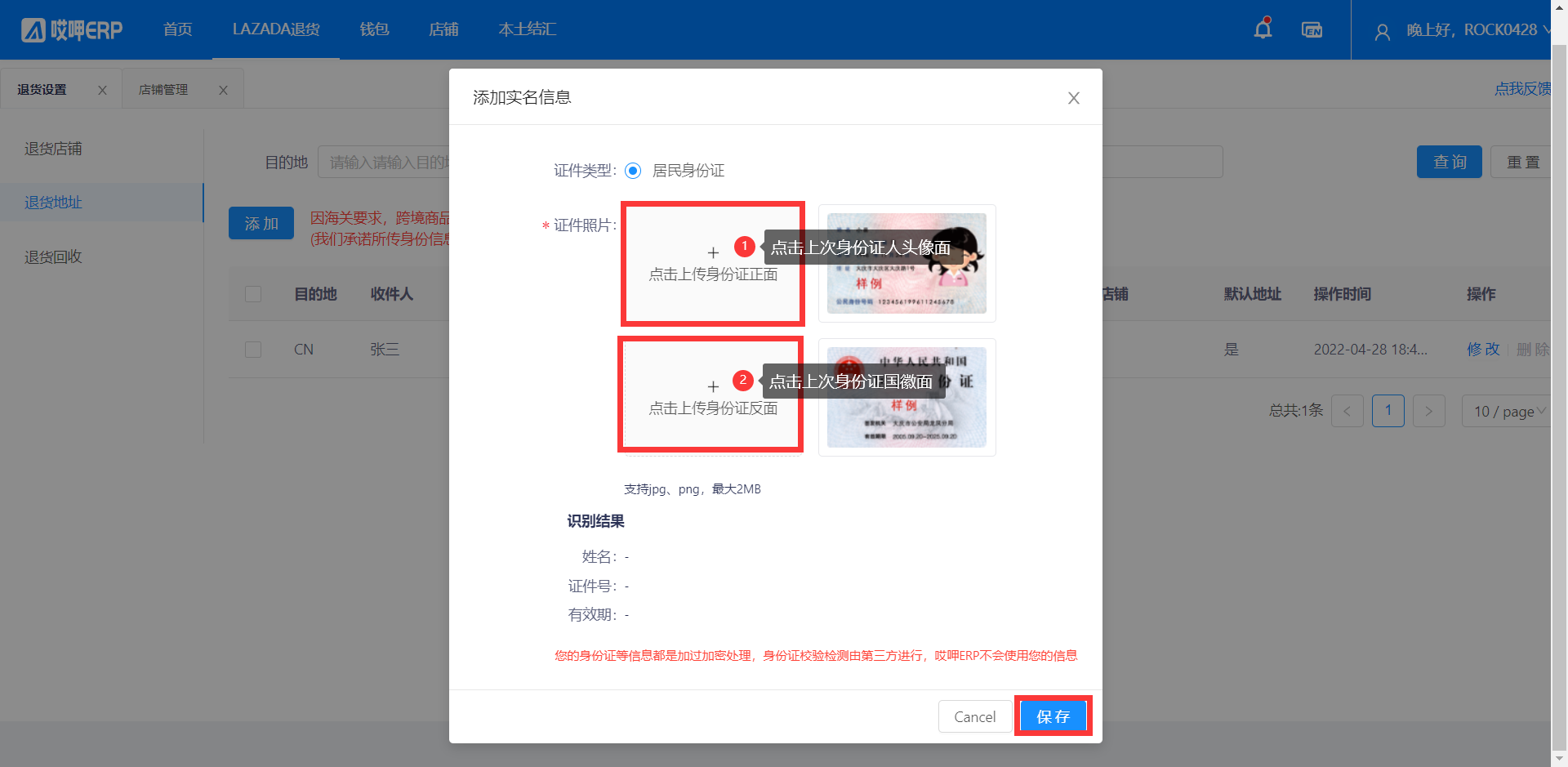
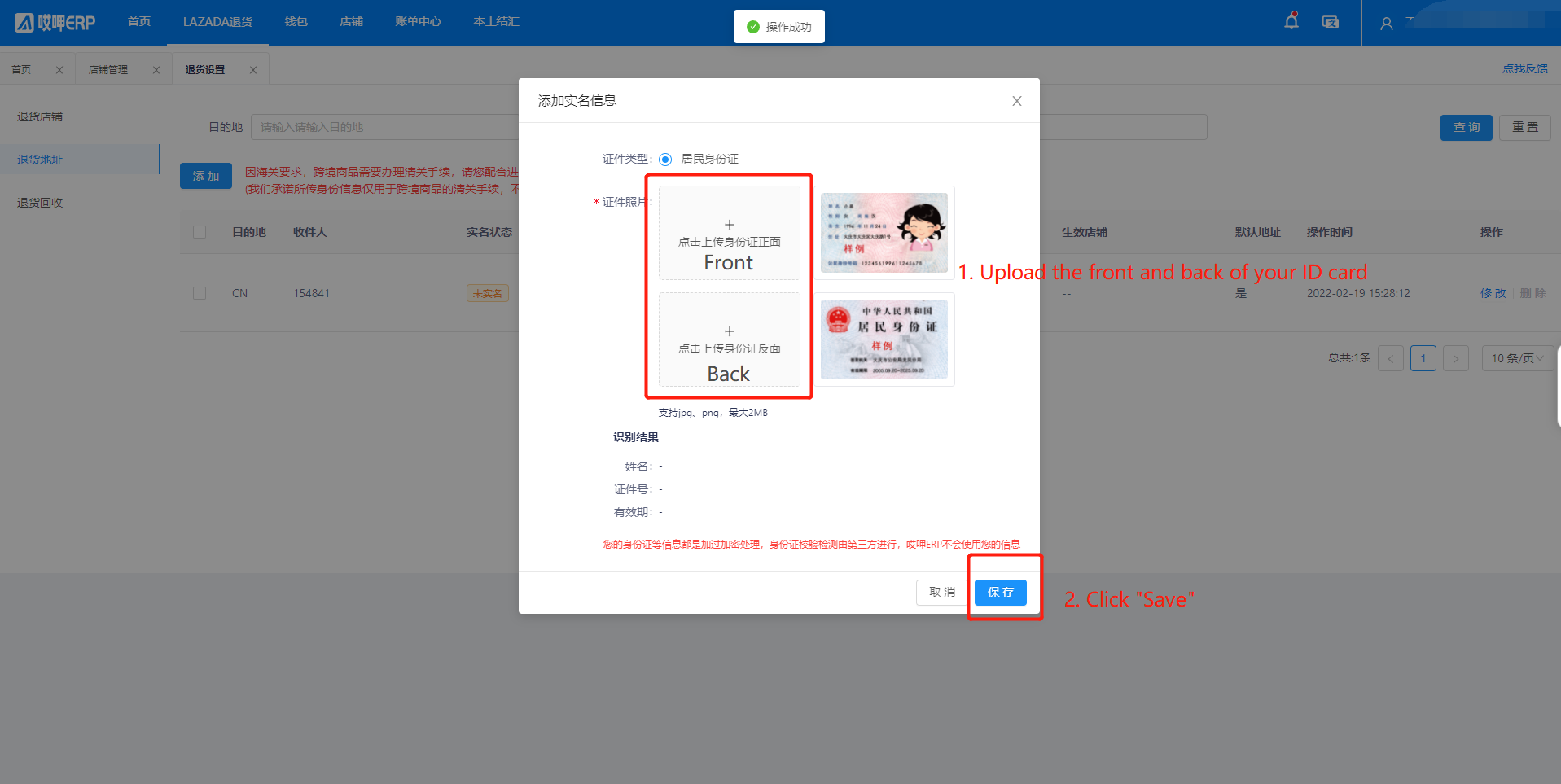
点击上传身份证的正反面-点击保存即可
完善清关信息
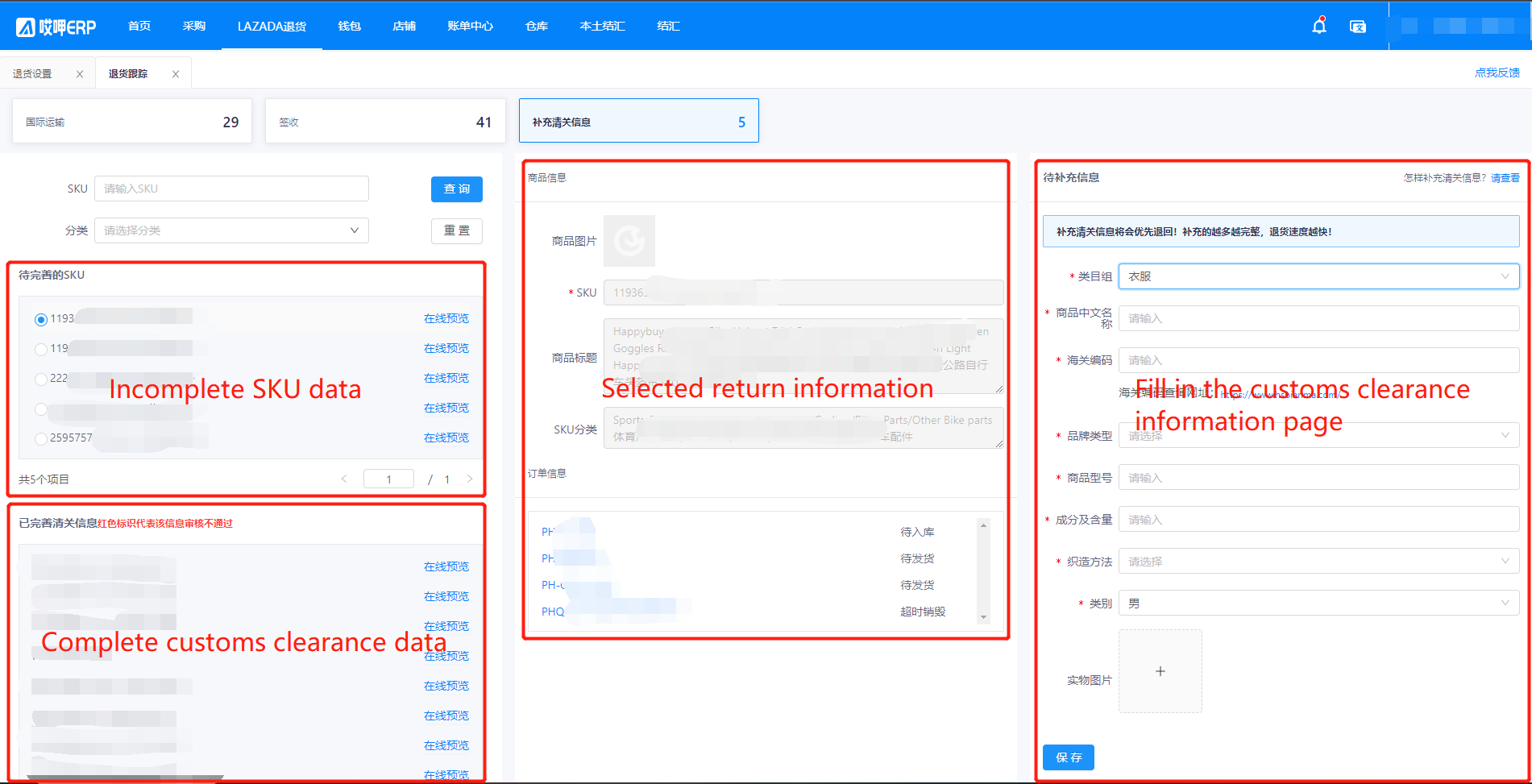
依次点击LAZADA退货-退货跟踪-补充清关信息

如果当前页面有数据可以进行完善

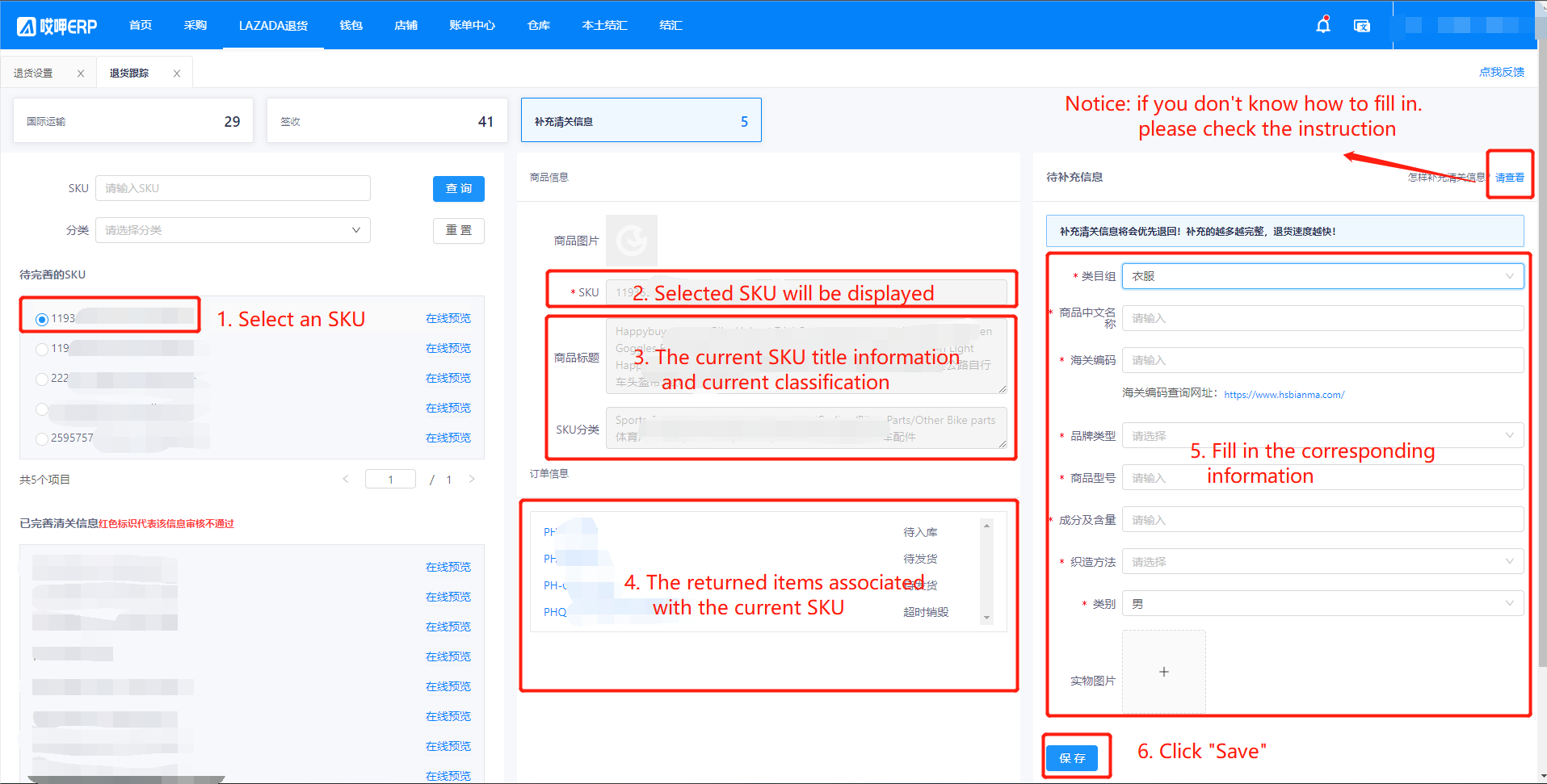
具体完善清关信息流程如下

您可点击在线预览查看当前sku的Lazada数据

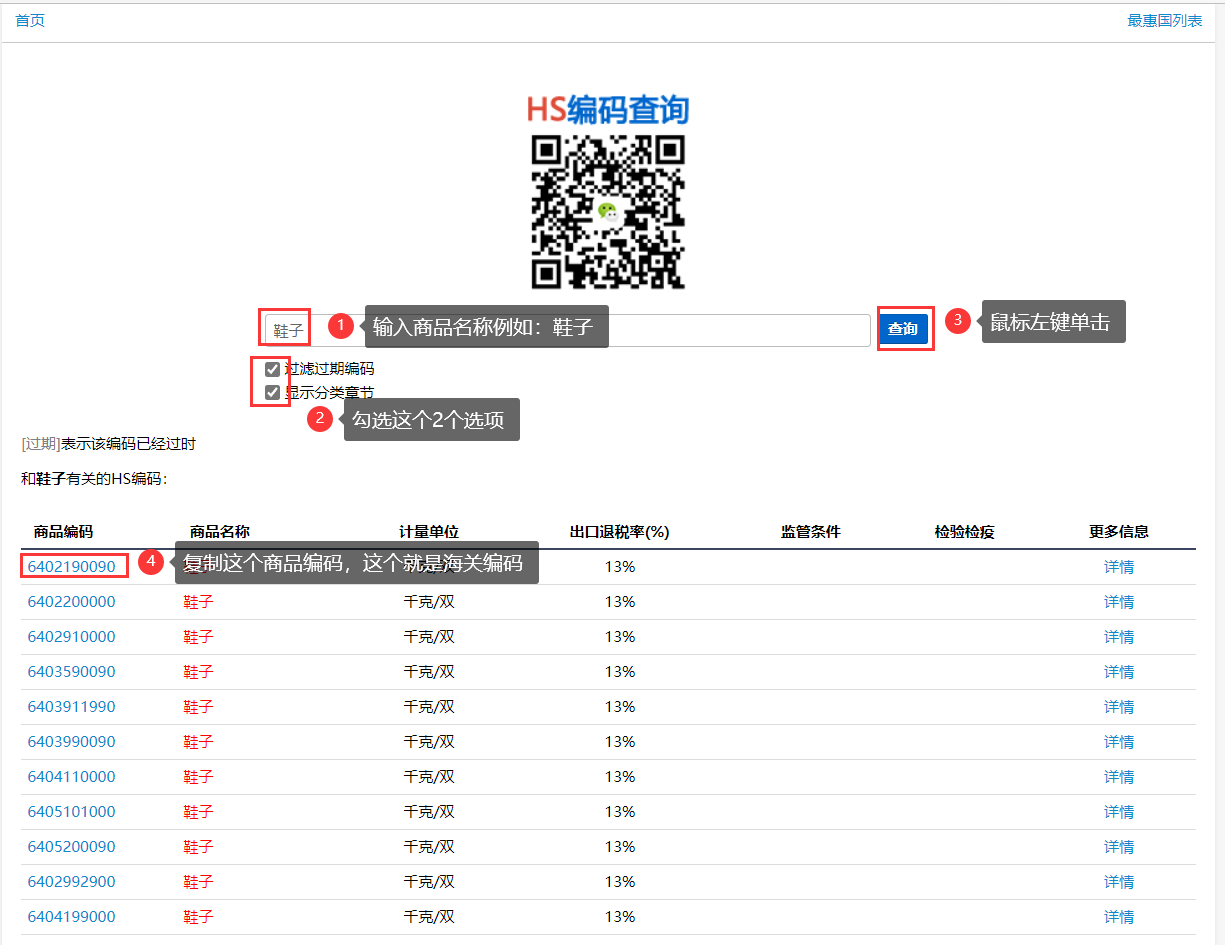
如何查询海关编码?
如果您找不到对应的商品编码,您可以查找相近的商品对应的商品编码
Asiaecs ERP-lazada return operation process
Register Account
海多客工作台|免费的跨境电商ERP (asiaecs.com)
Click "Register account"
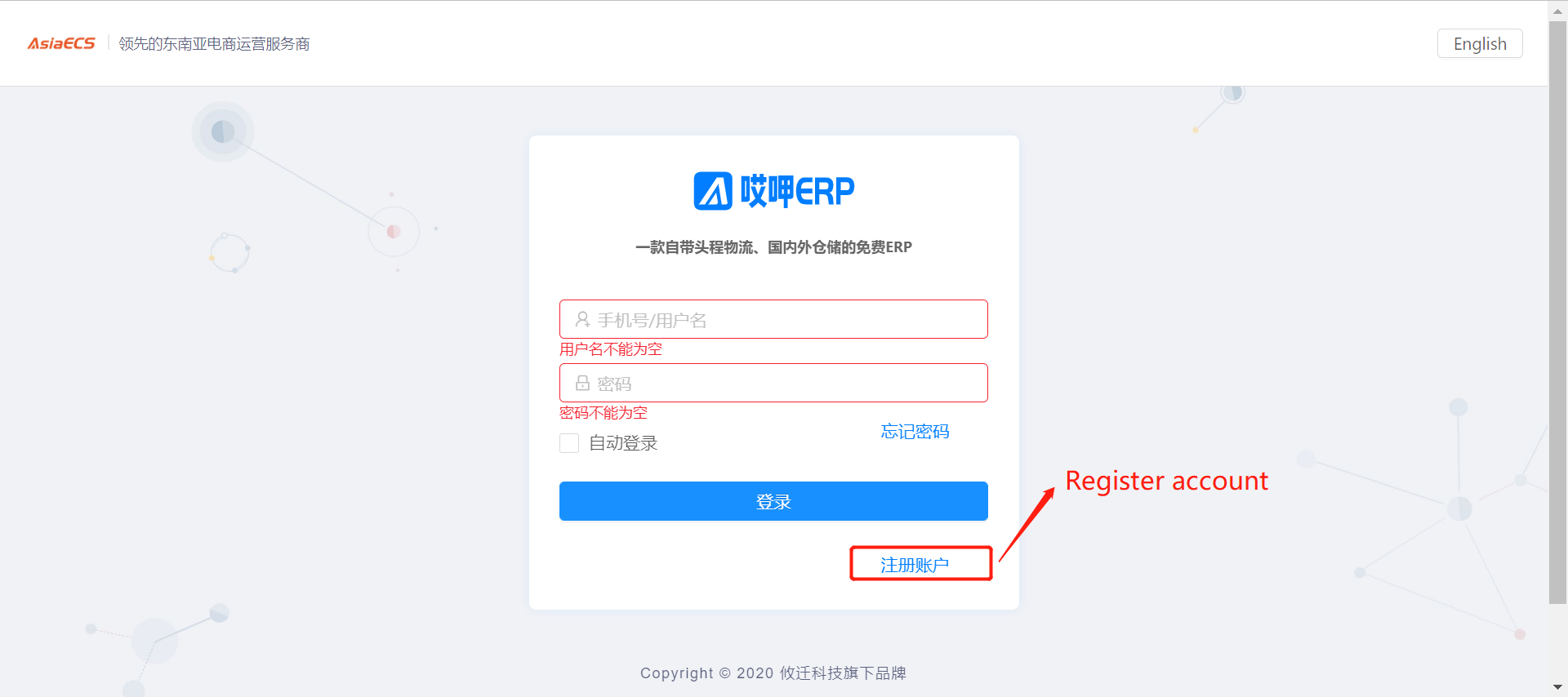
Follow the procedure below to register your account

Once registered - Enter your account ID andf password then click "Login"
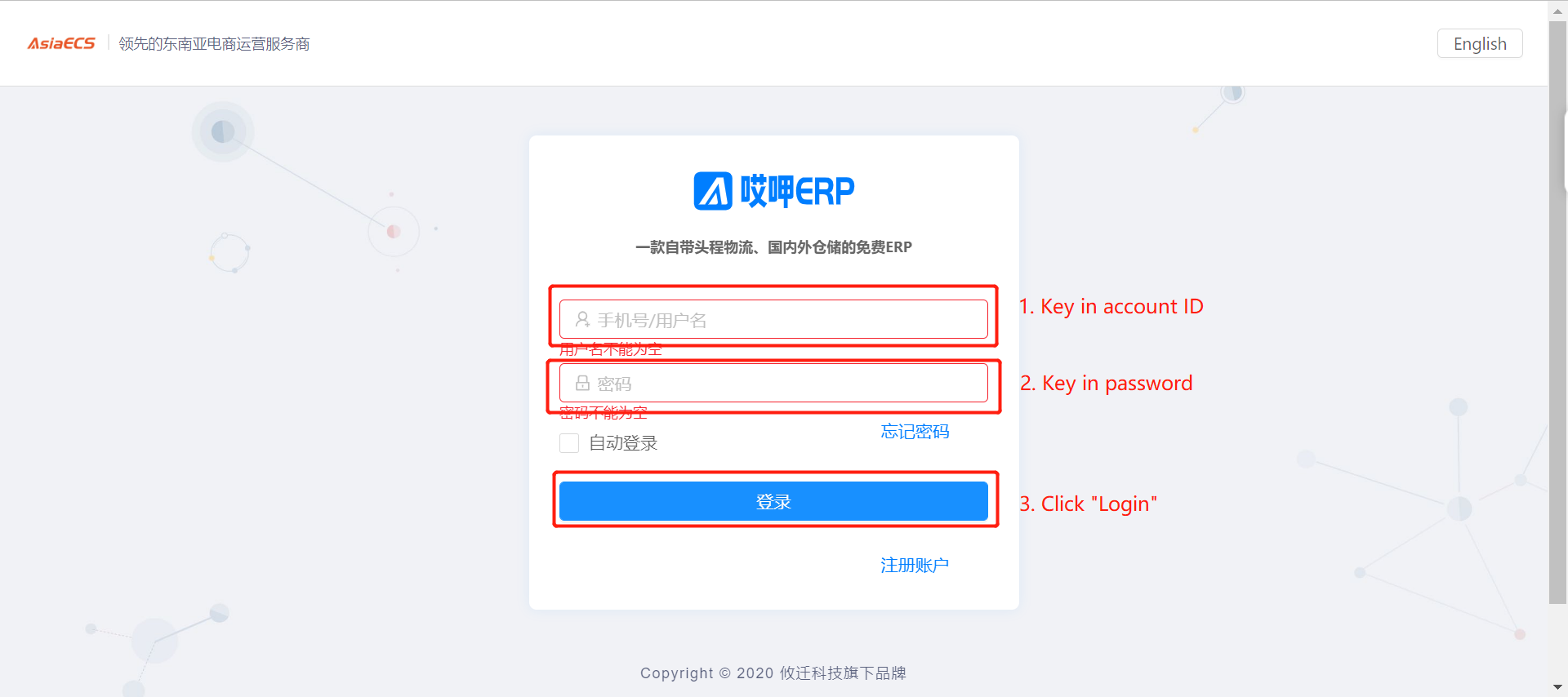
Drag verification code
Binding stores
After login - click "Store" - click "Store Management" - click "Add"
Scan the QR code on wechat with your mobile phone to follow the wechat public account - click Bound Next (If you are a Korean or Japanese seller you will skip this step)
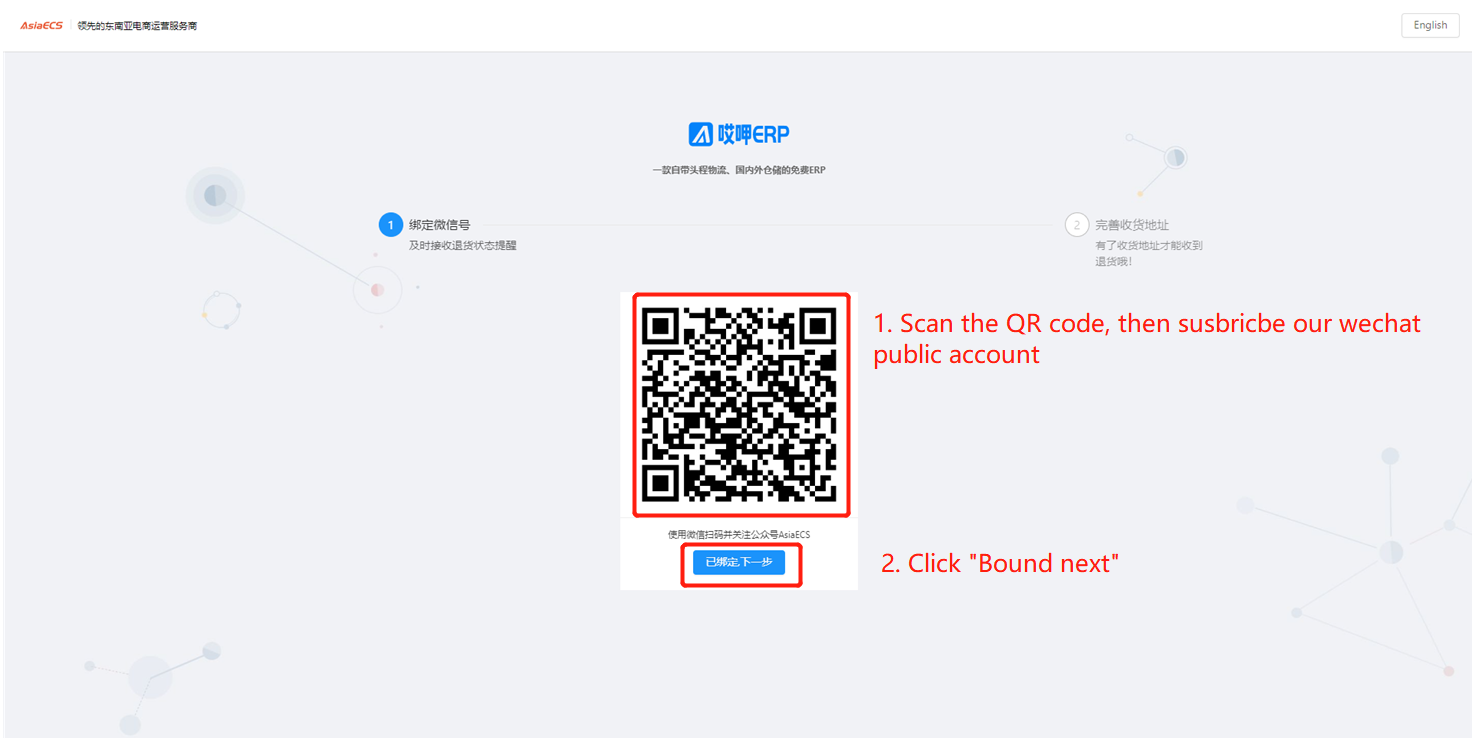
Enter recipient details - switchable country
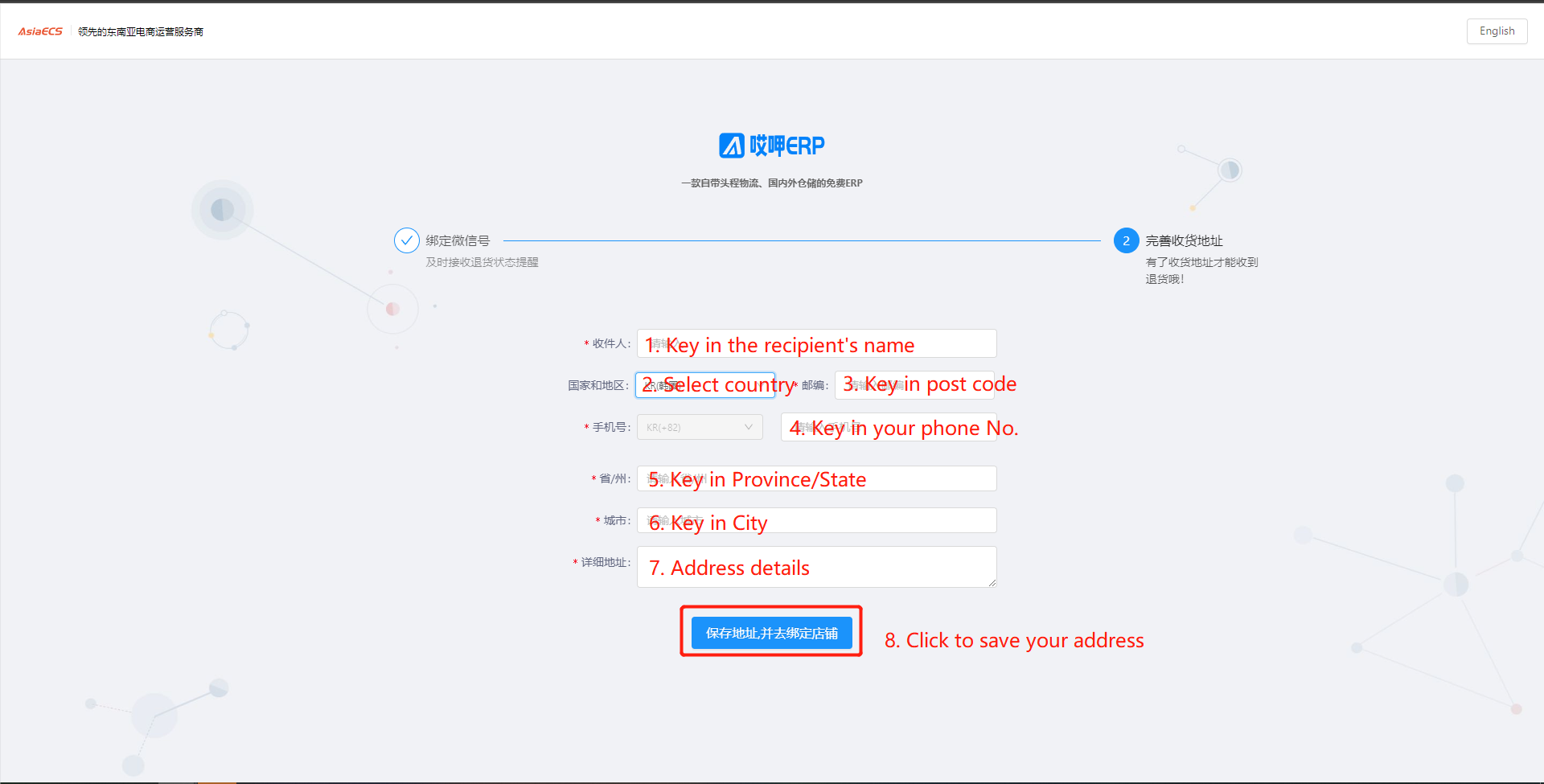
Click this button to bind your store
Click "Add"
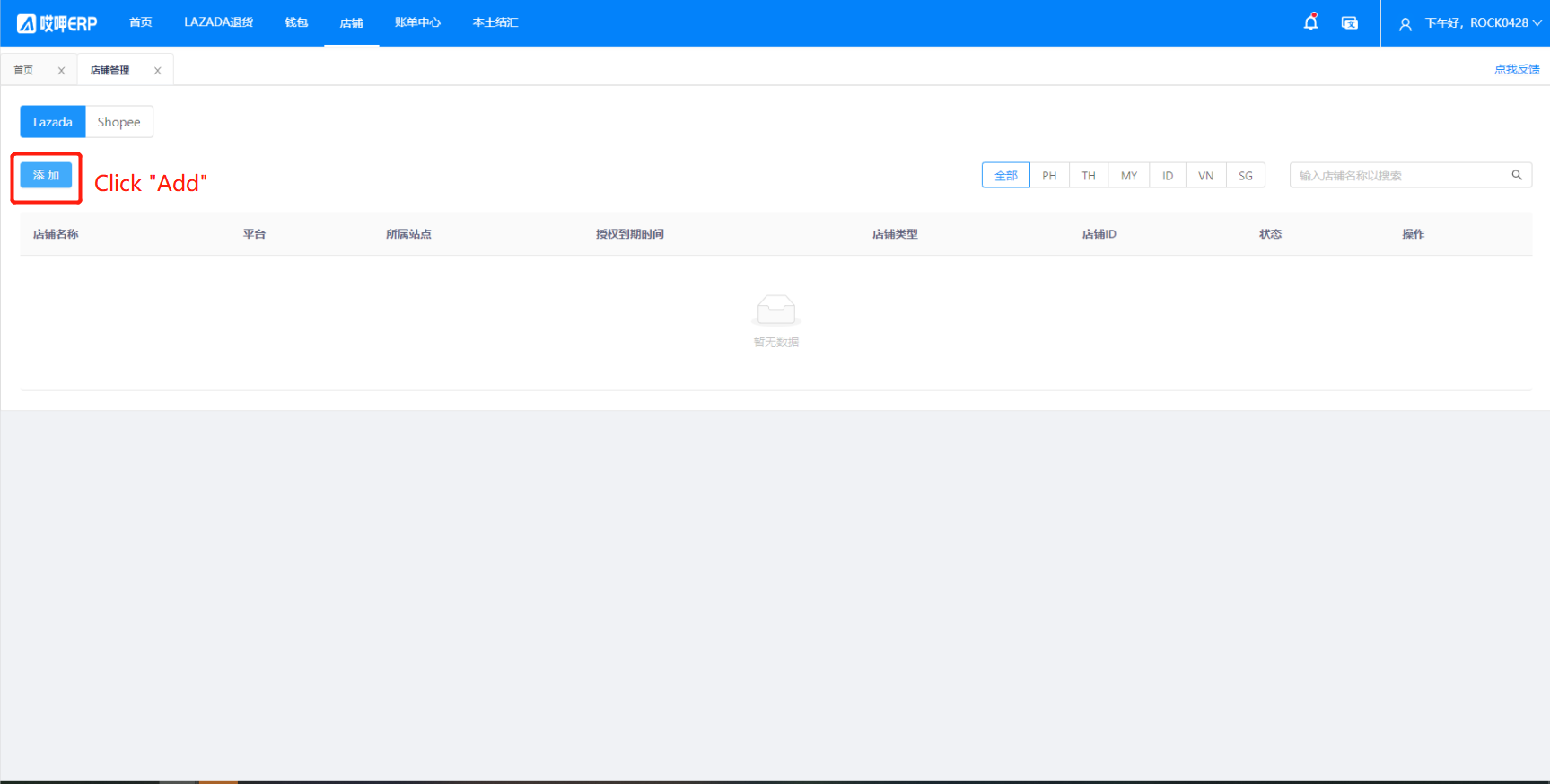
Click to select a site - if all sites are available it is recommended to select "All" - then click "To authorize"

Enter your LAZADA store account and password and click "Submit"
If there are multiple stores, you can add multiple bindings, but you must turn on the browser's traceless mode to bind
Google Chrome's top right corner to open the traceless mode, and bind a new store to close the current traceless web page, open a new traceless web page for binding can not appear 2 traceless web pages
Recipient's real name
If you are a Korean or Japanese customer, the following steps can be omitted
Complete real name authentication procedure
1. Click "Lazada Return"
2. Click "Return Setting"
3. Click "Return Address"
4. Click “No Real Name”
Check the agreement - click "Continue to add"
Upload the front and back of your ID card-click "Save"
Additional Customs Clearance Information
Click LAZADA Returns - Returns Tracking - Additional Customs Clearance Information
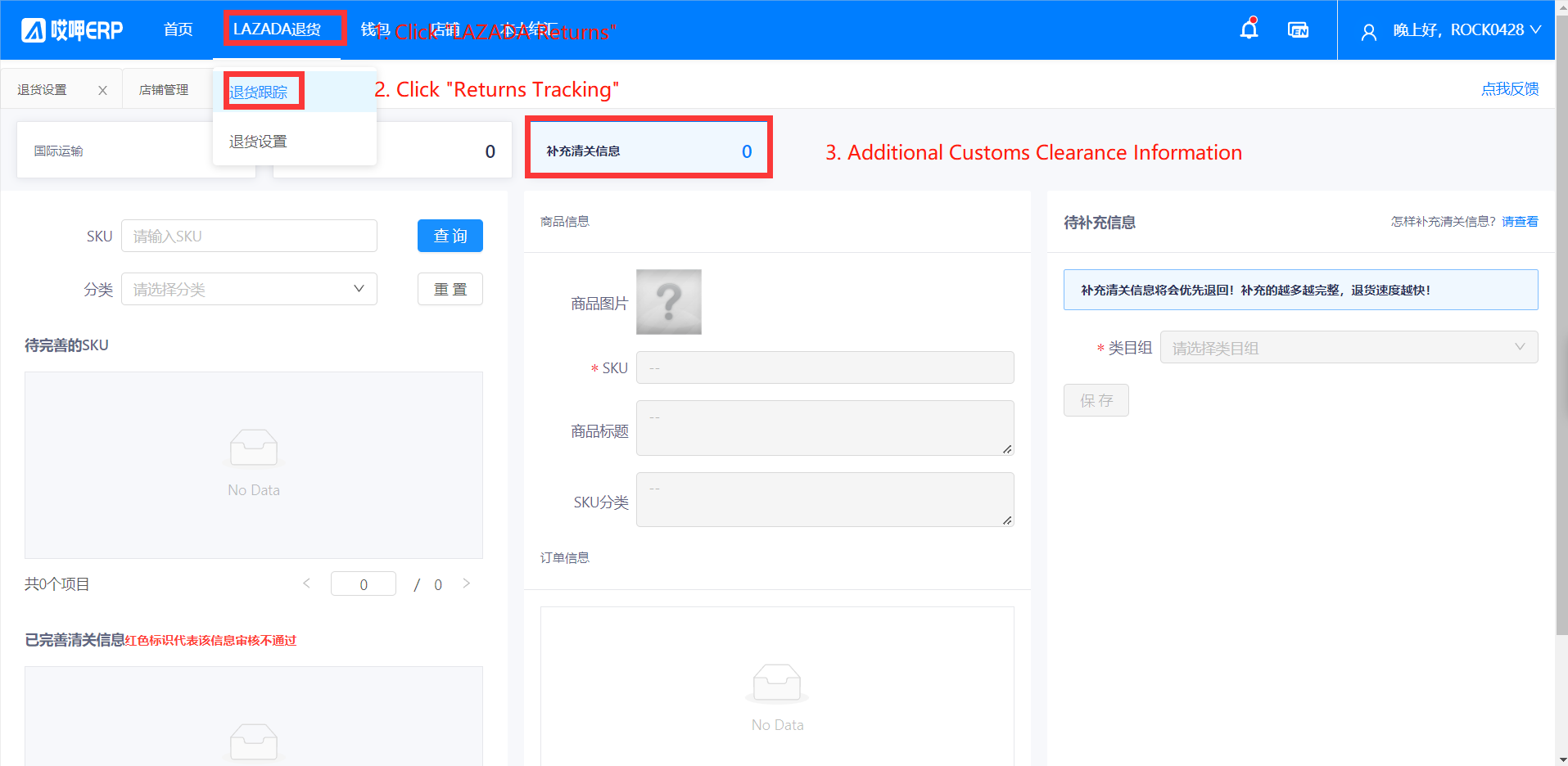
If the current page has data that can be refined
The specific process of improving customs clearance information is as follows
You can click "Online preview" to see the current sku's Lazada data
(Note: The store must be in normal authorization status, and the store binding status of the eek is not expired before it can be displayed). If the picture is not displayed, your store may be blocked by Lazada or your store in the eek authorization expired.
Each SKU only needs to be added once, the more you fill in the more accurate, the faster the customs clearance time
How to check the customs code?
Customs code query link: click the link below to view the sea customs code
If you can't find the corresponding product code, you can look up the corresponding product code for a similar product

退货地址实名
由于相关政策及海关清关要求,目的地为CN的用户需要进行收件人实名,请您尽快在退货地址中完成收件人实名
点击列表中的实名状态即可进行实名
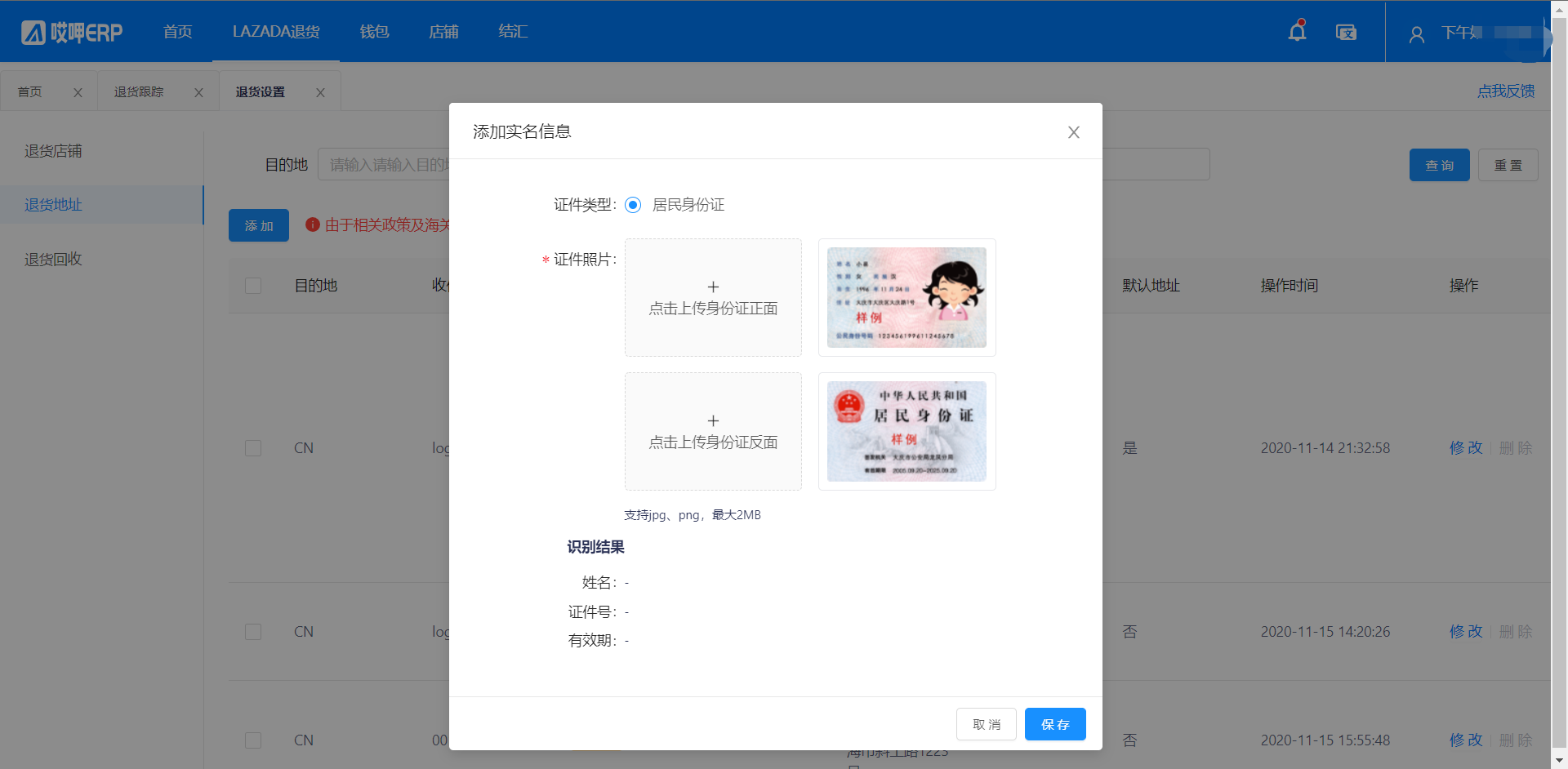
您需要上传该收件地址的收件人对应的身份证信息
成功实名后,您的实名状态会变为已实名
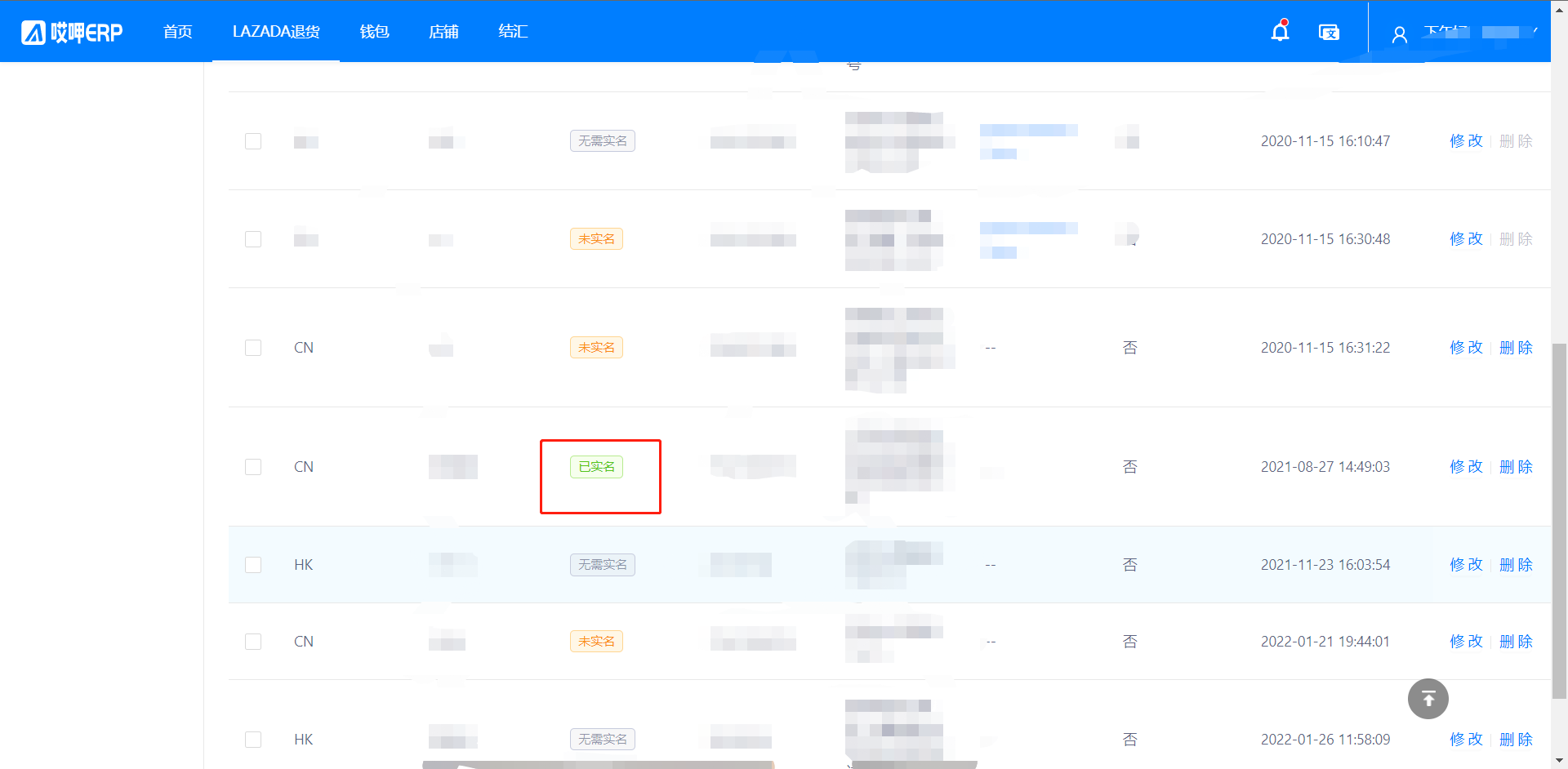
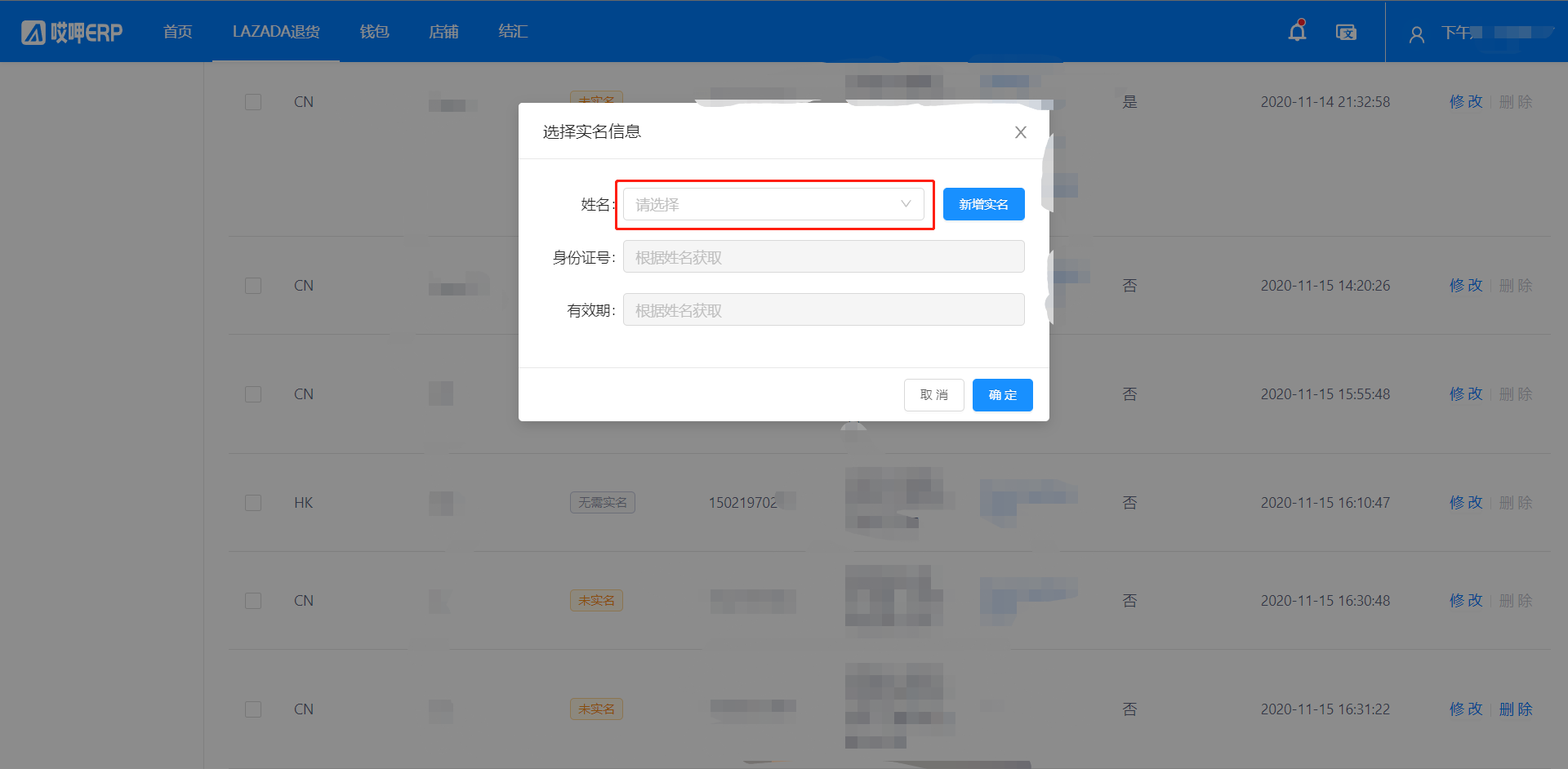
如果您已经存在实名信息,可以选择使用之前实名过的信息来进行新的退货地址的实名
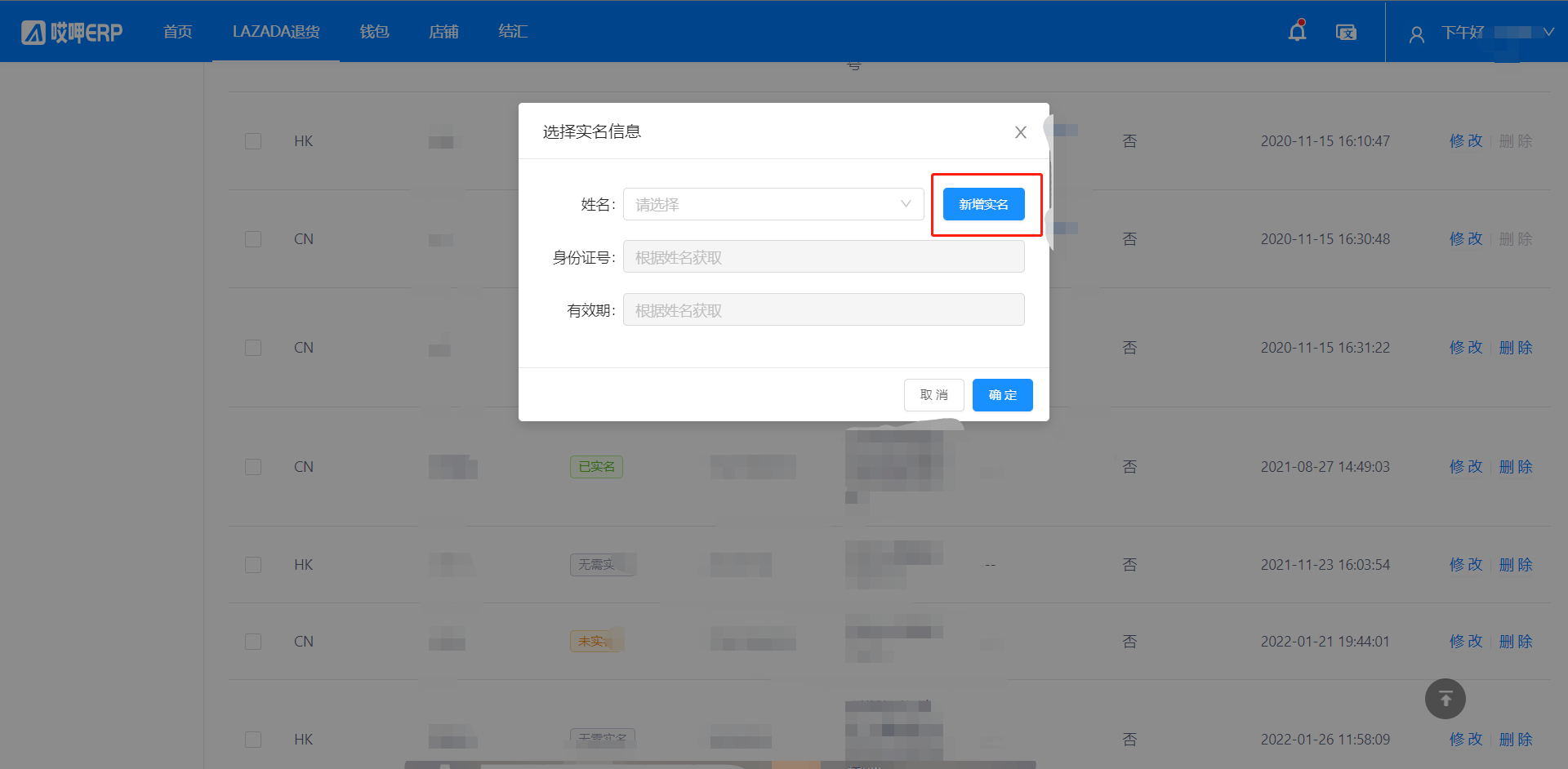
也可以选择添加新的实名信息
补充清关信息
鉴于进出口要求,为了加快清关退运流程,请您完善货物信息,请务必保证信息的准确性!!!
每个SKU只需要补充一次。
1、登陆海多客工作台系统
2、找开补充清关信息页面
Lazada退货 — 退货跟踪 — 补充清关信息,页面共4个模块
2.1、具体完善清关信息流程如下
2.2、您可点击在线预览查看当前sku的Lazada数据
2.3、如何查询海关编码?
2.4、如果您找不到对应的商品编码,您可以查找相近的商品对应的商品编码